

Search Token/Wallet
Beginner’s Guide: How to Use Solscan to Navigate the Solana On-Chain World
Beginner
Quick ReadsWhat Is Solscan?
----------------
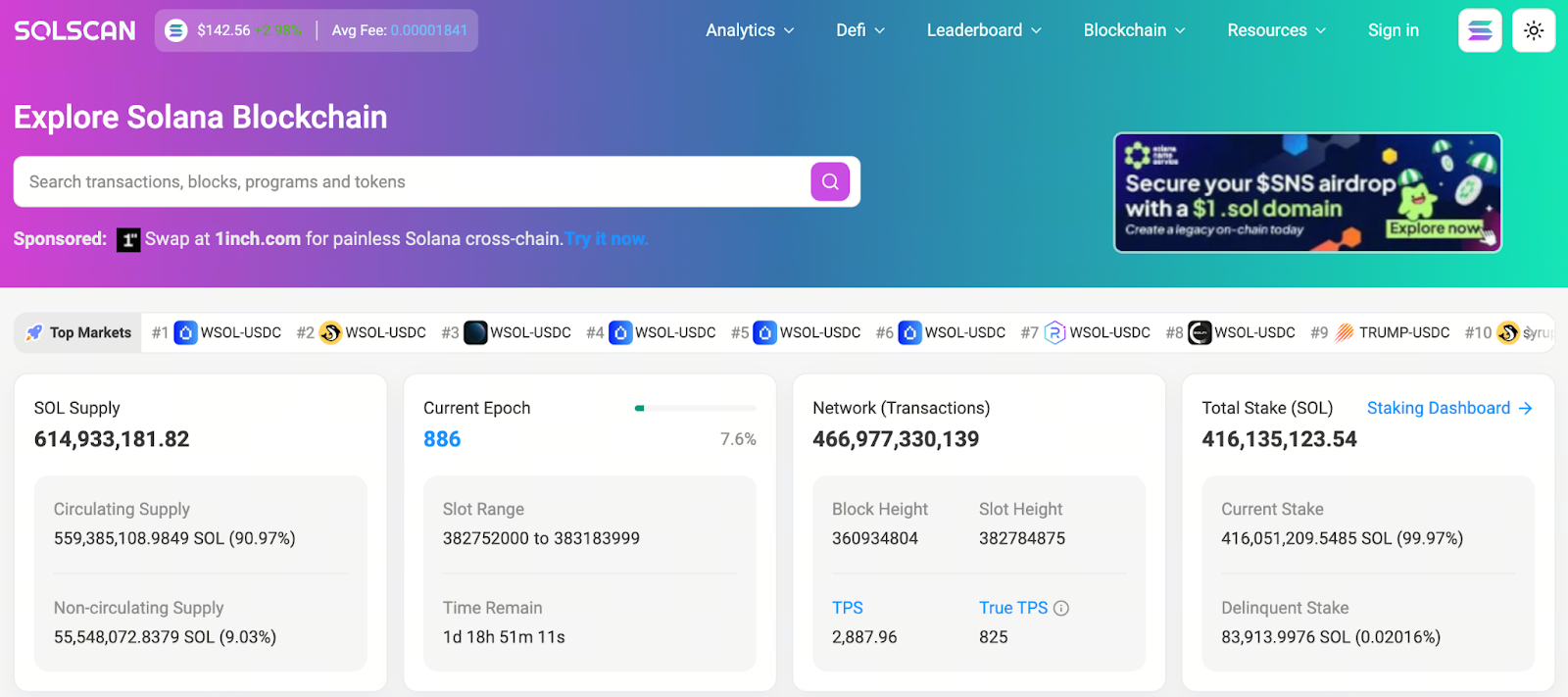
Image:
Author: Max
* The information is not intended to be and does not constitute financial advice or any other recommendation of any sort offered or endorsed by Gate Web3.
* This article may not be reproduced, transmitted or copied without referencing Gate Web3. Contravention is an infringement of Copyright Act and may be subject to legal action.
Related Articles
Beginner
2026 Stablecoin Classification Deep Dive: From Fiat-Collateralized to Algorithmic Stablecoins, Market Landscape and Future Trends
A thorough breakdown of stablecoin types—including fiat-backed, crypto-collateralized, algorithmic, and hybrid models—paired with up-to-date regulatory and market trends, empowers readers to navigate the stablecoin ecosystem and make informed investment decisions.

Beginner
What Are Fractional NFTs? Understanding the Mechanics of NFT Fractionalization and Its Real-World Use Cases
Fractional NFTs make high-value NFTs more accessible by breaking them into tradable shares. This article offers a comprehensive overview of the underlying technology, practical use cases, and inherent limitations.
Beginner
Top Telegram Games to Watch in 2026: The New Web3 Gaming Frontier and Investment Strategies
A comprehensive review of the top Telegram games to watch in 2026—including standout projects like Notcoin, Hamster Kombat, and Azuki Alley Escape—offering expert insights into gameplay trends and potential investment opportunities.

Beginner
The Next 100x Coin? Low-Cap Crypto Gem Analysis
This article analyzes cryptocurrency projects with low market capitalization that may be noteworthy in 2025, offering analysis from the perspectives of technology, community engagement, and market potential. Additionally, the report offers guidance on coin selection and highlights key risk factors for new investors.

Beginner
What Is Jupiter? A Complete Guide to Solana’s Leading Decentralized Exchange Aggregator
Jupiter stands as the core decentralized exchange aggregator within the Solana ecosystem, delivering users the best prices, minimal slippage, and seamless cross-pool liquidity integration. This article thoroughly examines Jupiter's mechanisms, exploring its features, strengths, trading processes, and future outlook. You'll gain a clear understanding of why Jupiter has emerged as the primary entry point for trading on Solana.

Beginner
Best Metaverse Projects in 2026: Seizing the Next Digital Wave
A comprehensive analysis of the leading Metaverse projects for 2026: Explore key developments from Web2 giants like Meta and Roblox, as well as Web3 frontrunners including The Sandbox and Decentraland. This article delivers the latest trends, technological breakthroughs, and investment opportunities in the Metaverse sector.